
Building software for your business isn’t what it used to be. Now, you’ve got two main options: low-code platforms like Power Apps or classic development with professional coders.
Each approach comes with different costs, timelines, and strengths. Some work better for certain projects than others.
Power Apps is great for simple internal tools that need to be built fast and cheap. Traditional development fits when you need complex features or high performance.
The platform you pick changes how quickly you can launch, what you’ll spend, and what the app can actually do.
This guide digs into the real differences between Power Apps and traditional development. Let’s look at their strengths, weaknesses, and when each one makes sense for your business.
Key Differences Between Power Apps and Traditional Development
Power Apps and traditional development use totally different methods to build applications. Power Apps leans on a low-code platform for speed, while traditional development means hand-coding for more control.

Development Methodology
With Power Apps, you build apps using visual interfaces and ready-made components. You drag and drop elements onto a canvas, tweak settings in menus, and hook up data sources—often without any real coding.
The platform handles a lot of the technical stuff behind the scenes. Traditional development, though, means writing code from scratch in languages like Java, Python, or C#.
You build every part manually, set up custom integrations, and manage the entire technical stack. This gives you total control over how your app looks and works.
Key differences include:
- Power Apps: Visual design tools, pre-built templates, automatic updates
- Traditional Development: Custom coding, complete architectural control, manual deployment
Target Users and Skill Sets
Power Apps opens up app building to non-coders. Business analysts, managers, and other folks without developer backgrounds can create functional apps after a bit of training.
The low-code style cuts out the need to learn tough programming concepts. Traditional app development, on the other hand, needs pro developers with real technical chops.
You need people who know coding languages, databases, APIs, and software architecture. These experts usually have computer science backgrounds or equivalent experience.
This skill gap affects both cost and hiring. Citizen developers are already on your payroll, but pro devs cost more and can be tough to find.
Time to Market and Development Speed
Power Apps lets you build and launch apps fast—sometimes in just days or weeks. You can prototype, test, and tweak things on the fly.
The low-code setup skips long coding phases and cuts down on testing. Traditional development usually takes months, sometimes years.
Writing code, fixing bugs, and deep testing all take time. Changing anything means more code changes, so updates move slower.
This speed difference matters a lot if you need to react quickly to business changes or new opportunities.
Check out Power Apps leave request application
Overview of Microsoft Power Apps
Power Apps is Microsoft’s low-code platform for building business applications without deep programming skills. It blends visual tools with tight Microsoft integration, so both pros and non-techies can spin up useful apps pretty quickly.
What Is Power Apps?
Microsoft Power Apps sits inside the bigger Microsoft Power Platform. You use it to build custom business apps that connect to your data and work on web or mobile.
There are two main types: canvas apps and model-driven apps. Canvas apps let you arrange the interface any way you like on a blank canvas.
Model-driven apps auto-generate the interface based on your data structure in Microsoft Dataverse, which is Microsoft’s cloud data storage.
Power Apps connects to over 1,000 data sources with pre-built connectors. These cover Microsoft tools like SharePoint, Excel, SQL Server, and even third-party stuff like Salesforce or Google Drive.
Need something unique? You can build custom connectors for specialized systems or APIs.
Visual Development and Drag-and-Drop Features
The drag-and-drop interface feels a lot like making a PowerPoint presentation. You pick components from a menu and drop them onto your screen, no code needed.
Buttons, forms, charts, galleries—they’re all there. You customize them with property panels.
Pre-built templates help you get started with common scenarios like expense tracking or asset management. You can tweak these to fit your needs, which saves a lot of time.
The platform uses formulas similar to Excel. You write these to add logic or data handling.
For advanced stuff, the new Copilot integration lets you build apps with natural language commands and gives formula suggestions as you go.
Integration with Microsoft Ecosystem
Power Apps works right inside the Microsoft ecosystem. Your apps inherit security from Microsoft 365, including user authentication and data permissions.
No need to set up separate login systems or manage extra accounts. Microsoft Dataverse acts as the built-in database, storing your business data with security and business logic baked in.
Need automation? Power Automate hooks in to trigger actions or schedule tasks based on app events.
You can embed apps in Teams channels, integrate with Dynamics 365, OneDrive, Outlook, and more using built-in connectors. Copilot Studio adds AI chatbots and virtual agents that understand natural language.
Empowering Citizen Developers
Citizen developers—employees who build apps without formal programming—can use Power Apps to solve real business problems. Marketing can build a campaign tracker, HR can make an onboarding app, all without waiting for IT.
The platform includes an accessibility checker to help you meet accessibility standards. It flags issues that could trip up users with disabilities.
You can add features like screen reader support and keyboard navigation with just a few clicks. User-friendly design keeps the learning curve low.
Built-in tips and guidance help new builders get started. IT still keeps oversight with governance controls, but business users get the freedom to prototype and iterate fast.
Overview of Traditional Development
Traditional development means hiring professional programmers who write code from scratch. You get total control over features and functions, which is key for apps needing special capabilities or tight integration with existing systems.

What Is Traditional App Development?
Traditional app development is all about trained software developers writing custom code to create applications. You work with a dev team that builds everything from the ground up to match your needs.
The process includes planning, design, coding, testing, and deployment. Each step needs technical skill and attention to detail.
Your team analyzes requirements, makes detailed plans, and writes the code that powers your app. This takes longer than low-code, but you own every part of the application.
You can change any part of the code and aren’t boxed in by platform limits.
Programming Languages and Platforms
Traditional development uses programming languages like Java, Python, C#, and Swift. Each one suits different platforms and purposes.
Java is solid for enterprise apps and Android. Python is great for data processing and web apps. C# works well for Windows and web services. Swift is the go-to for iOS apps.
You pick languages based on your app’s needs and where it’ll run. Developers have to know these languages and the platforms inside out.
This flexibility lets you build exactly what you want, without platform roadblocks.
Custom Business Applications and Complex Functionality
Traditional development shines when you need custom business applications with complex or unique features. You can make performance-critical apps that handle lots of data or need to run fast.
Integrating with legacy systems is doable because devs can write custom code for older tech. System integration with multiple platforms and services is another big plus.
Your team can build custom connections between software, databases, and third-party services. This is crucial for unique business processes that don’t fit cookie-cutter solutions.
Traditional development works best for apps needing advanced security, special calculations, or one-of-a-kind interfaces. You get to fine-tune performance and control every detail of how your app runs.
Advantages of Power Apps
Power Apps brings a lot to the table: faster development, lower costs, and easy connections to your business systems. For organizations needing business applications quickly, it’s a practical pick.
Rapid Prototyping and Deployment
You can build and test working apps in days or weeks with Power Apps. Pre-built templates help you start fast with things like expense tracking or inspections.
No need to code everything from scratch for basic functions. The low-code approach lets you make changes and see results right away.
Stakeholders can check out prototypes and give feedback while you’re still building. That speeds up the whole process.
Frequent updates are easy, too. You can push changes without long testing cycles or waiting for app store approval.
When your business needs shift, you just adjust your Power Apps to fit new workflows or data needs.
Cost Efficiency and Budget Considerations
Your development costs drop because you don’t need to hire specialized developers for every project. Business users and citizen developers can build applications with the visual interface and drag-and-drop tools.
This cuts down your reliance on expensive technical resources. Power Apps licensing usually costs less than building custom applications from scratch.
You pay subscription fees per user or per app, not for whole development projects. Your organization avoids infrastructure setup, server maintenance, and ongoing technical support costs that traditional development brings.
Shorter development time also means you save money. Projects that might take six months with traditional development can wrap up in weeks.
You can then put your budget toward other priorities.
Integration Capabilities and Workflow Automation
Power Apps connects directly with Microsoft 365, Dynamics 365, and hundreds of other services using built-in connectors. You can pull data from SharePoint, Excel, SQL Server, and more without writing complex integration code.
This integration with Microsoft products creates a unified environment for your business apps. Dataverse offers secure data management and storage built for Power Apps.
You get standardized tables, business logic, and security features that work across multiple apps. You can automate tasks using Power Automate, which connects right to your Power Apps.
Create workflows that send notifications, update records, route approvals, or trigger actions based on user inputs. Custom connectors let you link to proprietary systems or specialized databases when standard connectors don’t fit the bill.
Check out Download Power Apps Expense Claims App
Advantages of Traditional Development
Traditional development gives you total control over your application, from the code to how it performs under heavy loads. You can build exactly what your business needs without platform limitations.
Customization and Advanced Features
Traditional development lets you create business applications with unlimited customization. You can build unique user experiences that match your requirements, not just work within preset templates or components.
Your development team can write custom code for specialized features that low-code platforms just can’t handle. You get access to advanced programming languages, frameworks, and tools that professional developers use.
Integrate cutting-edge technologies like artificial intelligence, machine learning, or complex data processing systems without restrictions. When your business needs something specific, traditional development brings the technical depth to pull it off.
Your developers can also optimize every line of code for your use case. This control matters when you need features that go beyond standard business apps or require sophisticated workflows low-code platforms struggle with.
Performance Optimization and Scalability
Traditional development lets your team optimize performance at the code level. You can fine-tune database queries, memory usage, and server responses to handle millions of users or process huge amounts of data.
This becomes important when your app needs to run fast under heavy workloads or during peak traffic. Your infrastructure choices expand a lot with traditional development.
You control the servers, databases, and network architecture that power your app. While this ramps up infrastructure costs, it also gives you the ability to scale complex systems as you grow.
Traditional applications can handle demanding computational tasks better than most low-code solutions. You can build apps that process real-time data, manage complex calculations, or support thousands of users at once without slowing down.
Integration Flexibility and Legacy Systems
Traditional development shines at legacy system integration because your developers can work with any protocol, API, or data format. You can connect to older mainframe systems, proprietary databases, or custom-built tools your organization relies on.
This flexibility is essential when your business depends on systems that lack modern integration options. Your team can write custom code to bridge gaps between different technologies and platforms.
You keep full control over how data flows between systems and can implement security measures that meet your compliance requirements. Traditional development also lets you update legacy code gradually instead of replacing entire systems all at once.
Limitations and Challenges
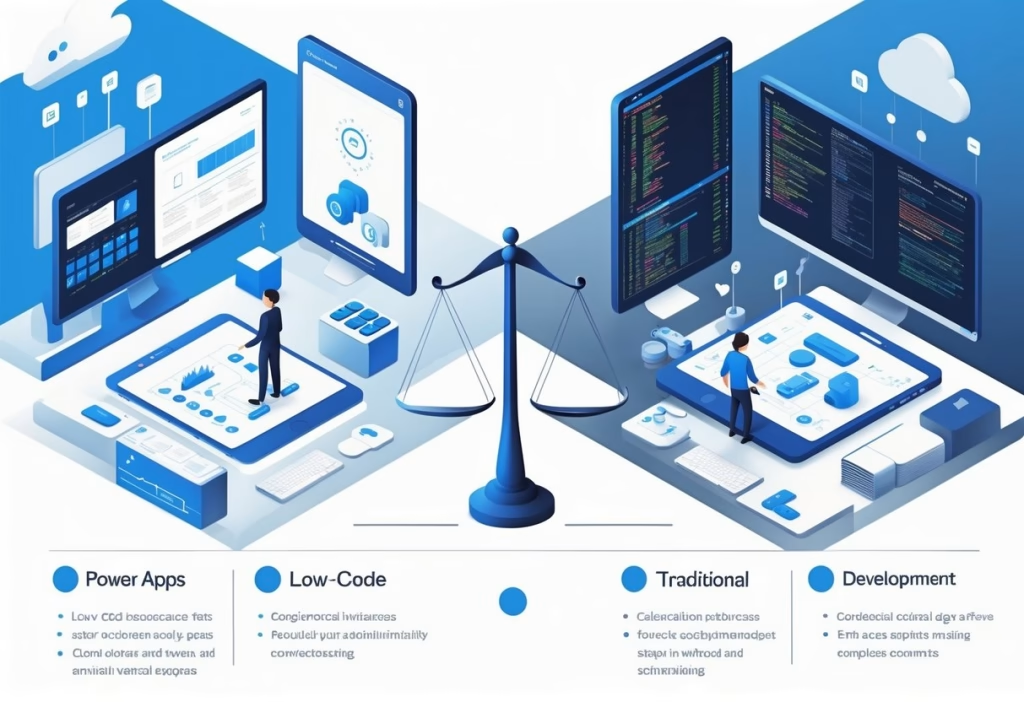
Both Power Apps and traditional development come with drawbacks that can impact your project. Power Apps faces constraints around concurrent development and platform dependencies, while traditional development needs more resources and technical know-how.
Drawbacks of Power Apps
Power Apps has a concurrency limitation in canvas apps—only one developer can work on the app at a time. This can slow down your project when several team members need to collaborate.
You run into a strong dependency on the Microsoft ecosystem. Your apps require Microsoft licensing and work best with other Microsoft services, leading to vendor lock-in if you want to switch later.
Data logic sharing between apps can get tricky. You might need to rebuild similar functionality across multiple applications instead of reusing code.
The platform limits customization for complex features. When you need advanced functionality or specific user interfaces, Power Apps may not offer the control you’re after.
Community support is growing but still smaller than what you’ll find with traditional development frameworks.
Drawbacks of Traditional Development
Traditional development requires manual coding for every feature. This takes a lot more time than low-code solutions.
Your team needs skilled developers who understand programming languages and frameworks. Development cost is higher since you pay for specialized developers throughout the build.
Projects often take months, not weeks. Ongoing maintenance needs continuous attention from technical staff.
You need developers to fix bugs, apply updates, and add new features over time. This creates long-term staffing and budget demands.
Security and compliance responsibility falls on your development team. You must handle encryption, authentication, and regulatory requirements without built-in safeguards. Testing and deployment require manual setup and configuration.
When to Choose Power Apps or Traditional Development
Your choice between Power Apps and traditional development depends on your project’s complexity, timeline, and the skills on your team. Power Apps works best for simpler business applications with tight deadlines.
Traditional development fits complex, performance-critical systems.
Scenarios for Choosing Power Apps
Pick Power Apps when you need to build applications fast without a large development team. The platform works well for internal business tools like approval systems, data collection forms, and workflow automation.
Your team can include citizen developers who don’t code but know the business process. Power Apps makes sense when you want a minimum viable product quickly.
You can launch a functional app in days or weeks. This speed helps with digital transformation projects where you need to modernize processes fast.
The platform fits projects with budget constraints. You avoid hiring specialized developers for every application.
Your existing staff can build and maintain apps using the Power Platform’s visual interface. Choose Power Apps for applications that need to connect with Microsoft 365, Dynamics 365, or other business systems.
The built-in connectors save development time. Your apps integrate smoothly with your existing Microsoft ecosystem.
Scenarios for Choosing Traditional Development
You need traditional development for complex applications with specific performance needs. Custom code gives you control over every aspect of your application.
This matters when you build customer-facing products or systems that handle millions of transactions. Choose traditional development when your app needs unique features that low-code platforms can’t provide.
Pro developers can create custom algorithms, advanced data processing, and specialized user interfaces. Your project might require technologies or frameworks that Power Apps doesn’t support.
Traditional development works better for apps that need to scale a lot. You can optimize code for performance and efficiency.
Your system can handle heavy loads and complex calculations that would slow down a low-code platform. Pick this approach when you want full ownership of your code and infrastructure.
You control security, data storage, and deployment. Your organization might have compliance requirements that demand custom solutions.
Hybrid and Fusion Approaches
Fusion development combines both approaches for efficiency. Your citizen developers build core functionality in Power Apps, while pro developers add custom components.
This strategy lets you move fast on standard features and keep flexibility for complex requirements. You can start with Power Apps for rapid prototyping and user feedback.
Once you validate the concept, your dev team can rebuild performance-critical parts with traditional code. The Power Platform can still host front-end interfaces, while custom APIs handle backend processing.
Many organizations use Power Apps for departmental tools and traditional development for enterprise systems. Your IT team provides custom connectors and components that citizen developers use in their Power Apps.
This spreads development capacity across your organization, while maintaining technical standards.
Frequently Asked Questions
Power Apps and traditional development differ in speed, cost, technical requirements, and customization. Knowing these distinctions helps you make better decisions for your project.
What are the key differences between Power Apps and traditional development platforms?
Power Apps uses a low-code approach with visual interfaces and pre-built templates. Traditional development means writing custom code from scratch with languages like Java, Python, or C#.
The development speed is a big difference. You can create a Power Apps solution in days or weeks, while traditional development might take months to build the same thing.
Power Apps limits you to the Microsoft ecosystem and built-in features. Traditional development gives you unlimited customization and full control over your application.
In what scenarios is Power Apps deemed more appropriate than traditional development methods?
Power Apps works best when you need simple business applications quickly. Your project fits Power Apps if it involves basic data entry, forms, dashboards, or workflow automation.
You should choose Power Apps when your team doesn’t know how to code. Citizen developers and business users can build apps without programming skills.
Internal business tools are the sweet spot for Power Apps. These include employee directories, expense tracking, inventory management, and approval workflows that don’t need complex logic.
Time-sensitive projects benefit from Power Apps. If you need a working app in weeks, the low-code approach delivers faster results.
How do cost considerations compare between using Power Apps and engaging in traditional development?
Power Apps needs less upfront investment than traditional development. You pay subscription fees per user or app, not for expensive development teams over months.
Traditional development costs more initially because you need skilled programmers, designers, and QA specialists. Developer salaries and longer timelines drive up the total expense.
Your ongoing maintenance costs differ too. Power Apps includes automatic updates and infrastructure management in your subscription. Traditional apps need dedicated support staff.
Budget constraints often make Power Apps the practical choice for small to medium-sized businesses. Large enterprises with complex needs may find traditional development more cost-effective long-term, even with higher initial expenses.
What are the limitations of Power Apps when compared to conventional development approaches?
Power Apps restricts your customization to what Microsoft provides. You can’t build entirely unique interfaces or implement complex algorithms outside the platform’s capabilities.
Performance limitations show up when Power Apps handles lots of data. Your app might slow down with thousands of users or massive databases—stuff traditional development can handle better.
You face vendor lock-in with Power Apps. Your app depends on Microsoft’s platform, pricing, and updates, so you lose some independence.
Complex business logic is tough to implement in Power Apps. If your app needs advanced calculations, intricate workflows, or specialized features, traditional development is usually the better bet.
Can Power Apps integrate with existing systems as effectively as traditional development solutions?
Power Apps connects pretty easily to Microsoft products like SharePoint, Dynamics 365, and Azure services. The platform also offers hundreds of pre-built connectors for popular business apps.
You can hook up Power Apps to many third-party systems using standard APIs and custom connectors. Still, if you’re dealing with older legacy systems or some quirky proprietary software, you might need traditional development to get things working smoothly.
Traditional development lets your team write custom code to connect with almost any system, database, or service—no matter how old or oddly built it is.
Power Apps can hit some limits with complex data integration. You might run into connector restrictions or performance slowdowns, while traditional development usually handles those with direct database access and optimized queries.
What is the learning curve for Power Apps in contrast to traditional development technologies?
It doesn’t take much technical know-how to start building with Power Apps. You can put together basic apps in just a few days once you get the hang of the visual interface and data sources.
Traditional development, on the other hand, asks for months or even years of training. You’ve got to learn programming languages, frameworks, databases, and a suite of dev tools before you’ll build anything production-ready.
Your business knowledge transfers well to Power Apps. When using this low-code platform, it’s more about understanding your workflows and processes than having deep technical skills.
If you’re already a professional developer, you might find the learning curve shorter with traditional tools. You get to lean on your existing programming skills instead of picking up a whole new proprietary platform.
Conclusion
Your choice between Power Apps and traditional development really comes down to what your project actually needs. Neither option wins in every scenario.
Each one works for different goals and business requirements. Power Apps shines when you want fast results and need to save money.
It handles simple to medium complexity apps pretty well. Your team can build solutions even if they don’t know much about coding, which is honestly pretty handy.
If you’re already working in the Microsoft ecosystem, Power Apps just makes sense. Traditional development, on the other hand, gives you more control and power.
Pick traditional dev when you need custom features or a really complex system. It’ll cost more and take longer, but you’ll get exactly what you want—no platform limits holding you back.
Keep these in mind when you decide:
- Your budget and timeline
- How complex your app needs to be
- Your team’s technical skills
- How much customization you require
- Whether you need to scale later
A lot of businesses actually use both. Maybe you build quick internal tools with Power Apps, then go with traditional development for anything customer-facing.
This mixed approach lets you grab the best of both worlds. The right pick really matches your current needs and whatever plans you have for the future.
Think about what matters most for your situation. Honestly, you can always start with one and switch if things change down the line.
You may also like the following tutorials:
- Power Apps Image Control – How to use
- Dataverse Image Column – How to Use
- 10 SharePoint Mistakes That Cost Companies Thousands Dollars

Hey! I’m Bijay Kumar, founder of SPGuides.com and a Microsoft Business Applications MVP (Power Automate, Power Apps). I launched this site in 2020 because I truly enjoy working with SharePoint, Power Platform, and SharePoint Framework (SPFx), and wanted to share that passion through step-by-step tutorials, guides, and training videos. My mission is to help you learn these technologies so you can utilize SharePoint, enhance productivity, and potentially build business solutions along the way.


