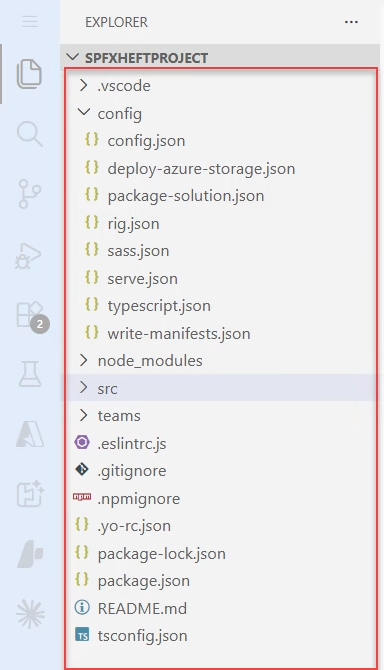
@microsoft/generator-sharepoint update check failed

Microsoft generator sharePoint update check failed

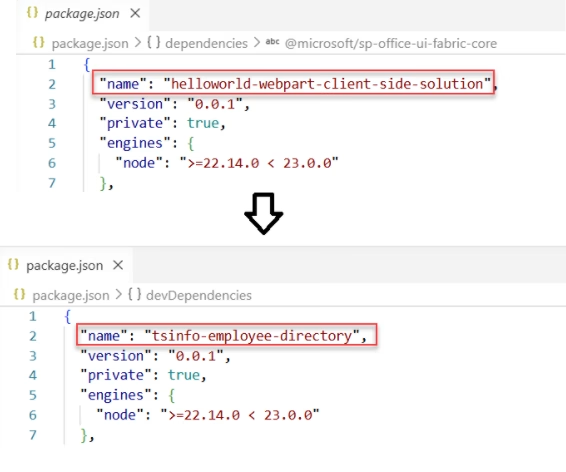
In this SPFx tutorial, I will explain how to fix the warning @microsoft/generator-sharepoint update check failed which comes while creating an spfx client-side web part. And also I will show you how to fix the issue Can’t install SPFx Certificate on a windows machine. @microsoft/generator-sharepoint update check failed Here are the steps I was following … read more…

Download Attendance List From Microsoft Teams After a Meeting

Download Attendance List from Microsoft Teams After a Meeting via the Chat Tab

If you’ve ever hosted a Teams meeting and needed to track who actually showed up, you already know how useful the attendance report is. Whether you’re a teacher tracking student participation, a project manager logging who attended a standup, or an HR coordinator running a training session, this report saves you from scribbling names on … read more…

How to Parse JSON in Power Apps [10 Practical Examples]

ParseJSON function in power apps

If you’ve worked with Power Apps and Power Automate for even a short time, you’ve probably run into JSON. And honestly, the first time I saw JSON in Power Apps, it felt confusing. But once I understood how to work with it, it became one of the most powerful tools in my apps. In this … read more…

Power Apps CountRows Function [Including the Delegation Fix]

Power Apps CountRows in a Gallery

CountRows looks like one of the simplest functions in Power Apps — until it silently gives you the wrong number. If your SharePoint list has 1,200 records but CountRows keeps returning 500, you’ve hit the delegation limit. And if you tried the “just use a Collection” workaround — surprise, that doesn’t fix it either. In … read more…

How to Zoom In on Microsoft Teams [5 Methods Explained]

Zoom In on the Teams App

If you’ve ever been in a Microsoft Teams meeting squinting at a tiny spreadsheet on a shared screen, or struggling to read chat messages because the text feels too small, you’re not alone. This is one of the most common Teams frustrations, and the fix is simpler than you think. In this tutorial, I’ll walk … read more…

How to Enable GIFs in Microsoft Teams [Complete Guide]

Send a GIF as a Regular User in Microsoft Teams

If you’ve ever tried to send a GIF in Microsoft Teams and the option just wasn’t there — or worse, it showed up once and then disappeared — you’re not alone. This is one of the most common questions Teams users ask, and the answer isn’t always obvious because there are several places that control … read more…

Power Apps Dropdown Show Only Unique Values [Step-by-Step]

Power Apps Dropdown Show Only Unique Values

If you’ve ever connected a Power Apps dropdown to a SharePoint list and ended up with the same value appearing 15 times, you know how frustrating that can be. Your users don’t need to see “Marketing” repeated over and over — they just want to pick it once and move on. In this tutorial, I’m … read more…

6 Easiest Ways to Take a Screenshot in Microsoft Teams

Take a Screenshot in Microsoft Teams

Let me be honest — the first time I needed to screenshot something in a Teams meeting, I fumbled around for a good minute. There’s no dedicated “screenshot” button in Teams, which throws a lot of people off. But once you know the right methods, it takes less than two seconds. In this article, I’ll … read more…

Power Apps First Function – With Examples

First Function in Power Apps

If you’ve ever built a Power Apps canvas app connected to a SharePoint list, you’ve probably run into a situation where you only need one record — the first one in a list, the most recent entry, or just the top result from a filtered query. That’s exactly where the First function in Power Apps comes in handy. In … read more…

Power Apps functions free pdf

30 Power Apps Functions

This free guide walks you through the 30 most-used Power Apps functions with real business examples, exact syntax, and results you can see.

Live Webinar

SharePoint Permission Checker Agent using Microsoft Copilot Studio

Learn how to build a SharePoint Permission Checker Agent using Copilot Studio. Using this agent, you can check library-level and file-level permissions. Also, identify Users, SharePoint Groups, and Permission Levels.

📅 1st July 2026 – 10:00 AM EST | 7:30 PM IST

Download User registration canvas app

DOWNLOAD USER REGISTRATION POWER APPS CANVAS APP

Download a fully functional Power Apps Canvas App (with Power Automate): User Registration App