Live Developer Training: next batch coming soon. Be the first to know.Live training: next batch soonJoin the waitlist →Join →

How to Get Tenant Name in Power Apps

How to Get Tenant Name In Power App

When I was working on a Power Apps and Power Automate solution for a client who wanted to create SharePoint sites automatically. Users would fill in details such as site title, internal name, storage quota, description, owners, members, and visitors in Power Apps. After submitting the form, Power Automate creates the SharePoint site using a … read more…

Easiest Way to Upload Images to Dataverse From Power Apps

powerapps upload image file to dataverse

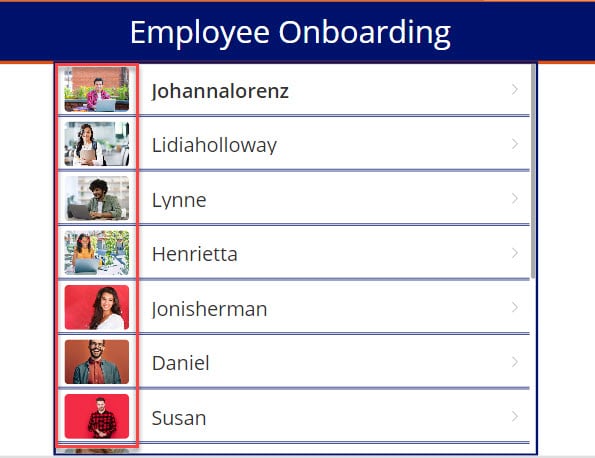
While working on a client project, I faced a common requirement. The client wanted users to upload images directly from a Power Apps form and store them securely in Dataverse. This was needed for scenarios like uploading ID proofs, profile photos, or supporting documents during form submission. At first, it sounded simple, but when you … read more…

Power Apps Image Control – How to use

Power Apps image from SharePoint list

A few days ago, I was working on a Power Apps project where users needed to upload images directly from the app. The requirement was simple: employees should be able to upload photos like profile pictures, site images, or document snapshots and view them later in the same app. While building this, I realized that … read more…

How to Add Custom Controls in SPFx Property Pane

Add Custom Controls in SPFx Property Pane

When building SPFx web parts, the property pane is the primary way to let users configure how the web part behaves without touching any code. In one of our SharePoint Online projects, we needed to show list or library data directly on a modern page and still allow site owners to choose which list and how many … read more…

SharePoint Site Left Navigation or Quick Launch

customize sharepoint left navigation menu

In this tutorial, I will explain everything about SharePoint site left navigation or quick launch. I will show you how to customize SharePoint quick launch and how to enable audience targeting in the left navigation in SharePoint Online. SharePoint quick launch Like any other website, a SharePoint site needs a quick launch or left navigation … read more…

How To Create A Document Library In SharePoint Online?

Create A Document Library In SharePoint Online

If you are new to Microsoft SharePoint, you should know what a document library is in SharePoint. And how do you create a document library in SharePoint Online? With that, I will also share various SharePoint document library examples. SharePoint Document Library SharePoint Online document library is a secure place to store files that you … read more…

Content Approval in SharePoint Online

Content Approval in SharePoint

In this SharePoint tutorial, we discussed Content Approval in SharePoint lists or libraries. We covered topics such as what Content Approval is in SharePoint lists or libraries, and why content approval is necessary. We will also learn how to enable Content Approval in a SharePoint list or library and how to approve documents in SharePoint … read more…

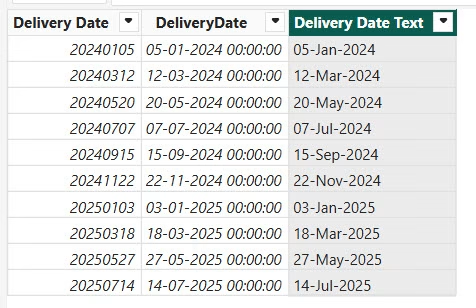
How to Convert yyyymmdd to Date Format in Power BI?

Power BI Format Date for Display Using DAX

Recently, I was working on a Power BI report. At first, everything looked fine. The data was loading properly, visuals were created, and slicers were added. But when I started using a date column in charts and filters, I noticed some issues. The dates were not showing correctly. In some visuals, Power BI treated the … read more…

SharePoint Folder Structure Best Practices: An Expert Tutorial

SharePoint Folder Structure Best Practices

As someone who has worked with SharePoint for over 18 years, I’ve seen firsthand how a well-organized folder structure can make or break productivity and collaboration within an organization. Whether you’re just getting started with SharePoint or looking to optimize your current setup, this tutorial will walk you through the best practices for designing and … read more…