
Yesterday, I attempted to delete some of my unnecessary SharePoint sites from the SharePoint Admin Centre. However, some of them were not deleted when I tried to delete them. Instead of that, an error came saying that “A compliance policy is currently blocking this site deletion“, as shown below:

I then researched the issue and discovered that it was being blocked because my manager had created a SharePoint Retention policy within the Microsoft Purview portal.
In this article, I will tell you how to fix the “A compliance policy is currently blocking this site deletion” in SharePoint error step by step.
A compliance policy is currently blocking this site deletion
To fix this issue, we can review and remove any retention policies applied in the Microsoft Purview Center. If needed, we can also disable the specific retention policy that’s causing the problem.
Follow the instructions below to achieve this:
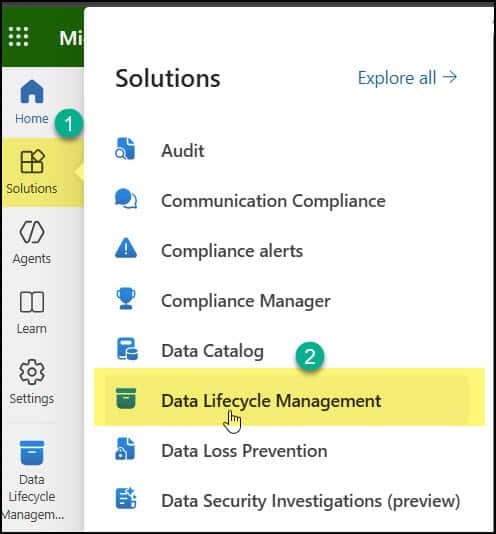
- Navigate to the Microsoft Purview Home page, then select Solutions > Data Lifecycle Management.
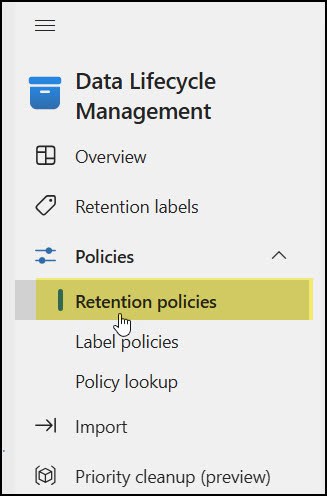
- Expand Policies > Select Retention policies.
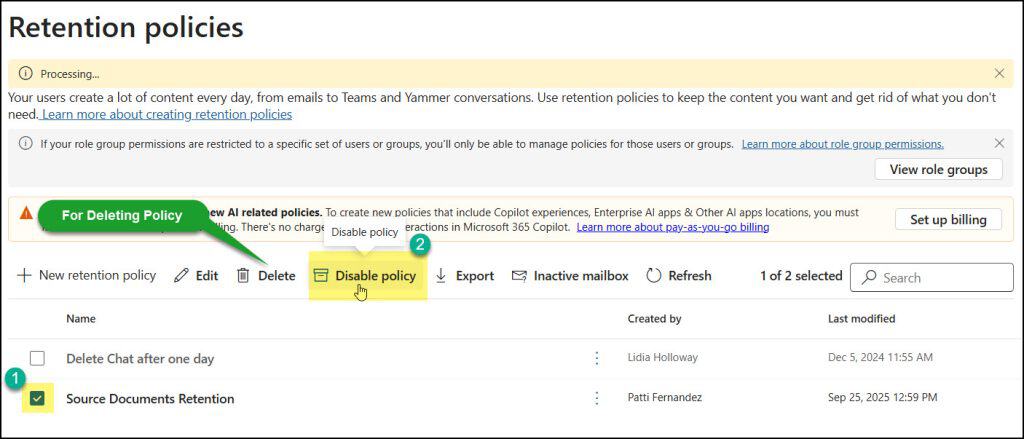
- On the Retention policies page, select the specific policy name. There will be two options:
- Delete: It helps to delete the particular retention policy permanently.
- Disable policy: It helps to disable the retention policy, so that at a later point in time, you can use it if required.
In my case, I will disable the policy.
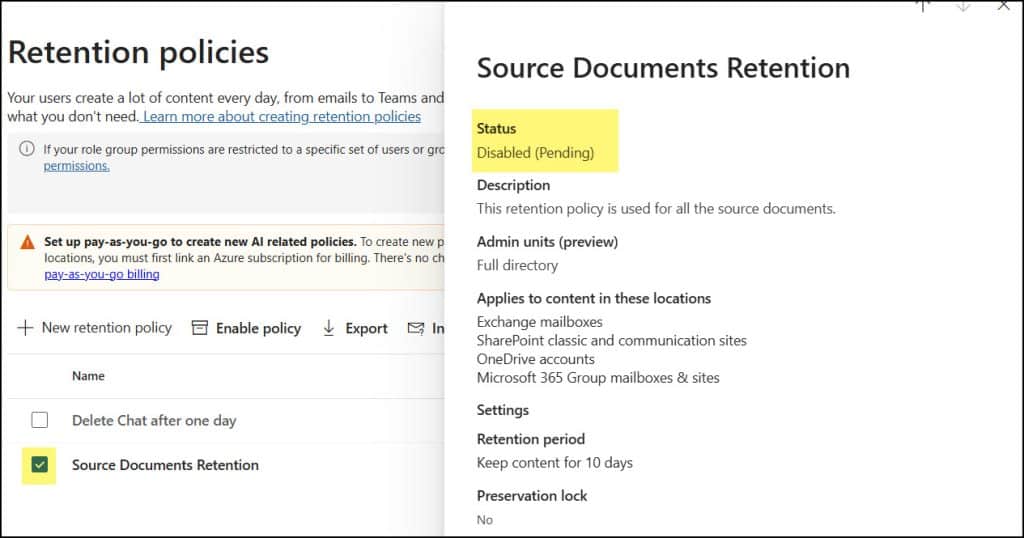
- After a few seconds, you can see the specific policy has been disabled.
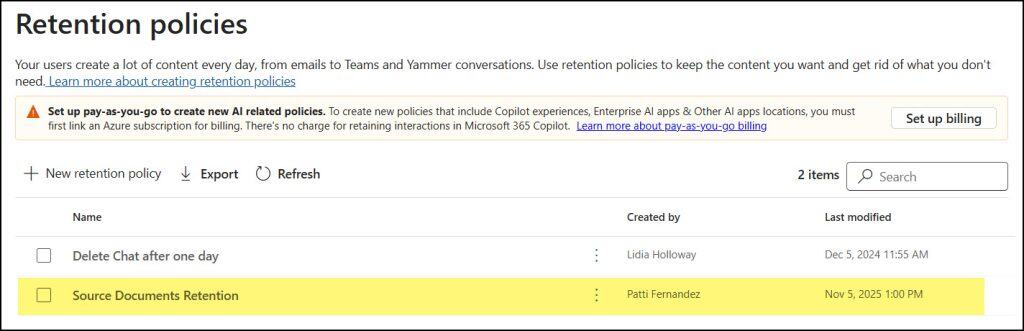
- You can view the retention policy status by clicking on it.
Finally, go to the SharePoint Admin Center and try deleting a specific SharePoint site. You’ll notice that the Delete button is now enabled, and the site will be deleted once you click it.
Reference:
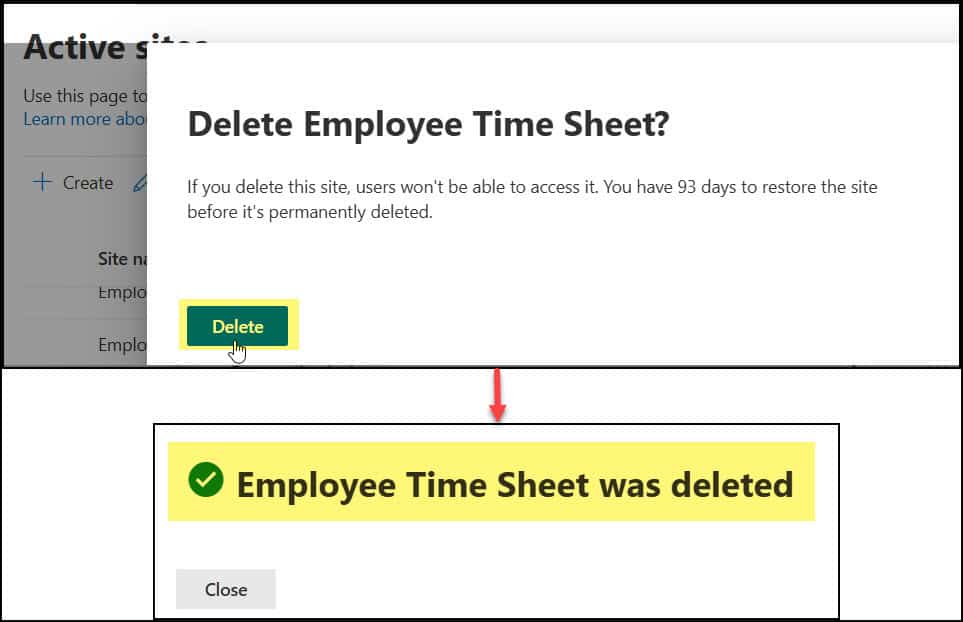
This way, we can resolve the SharePoint error “A compliance policy is currently blocking this site deletion” that appears when attempting to delete any site from the SharePoint Admin Centre.
Also, you may like some more SharePoint tutorials:
- Fix 404 Not Found Error in SharePoint
- Set Alert Policies in Microsoft Defender Portal
- Get Current SharePoint Site Information in SPFx
- Add SharePoint Site Owners using REST API

Hey! I’m Bijay Kumar, founder of SPGuides.com and a Microsoft Business Applications MVP (Power Automate, Power Apps). I launched this site in 2020 because I truly enjoy working with SharePoint, Power Platform, and SharePoint Framework (SPFx), and wanted to share that passion through step-by-step tutorials, guides, and training videos. My mission is to help you learn these technologies so you can utilize SharePoint, enhance productivity, and potentially build business solutions along the way.

