
Live Developer Training: next batch coming soon. Be the first to know.Live training: next batch soonJoin the waitlist →Join →

Dataverse Formula Column: Complete Guide [With Real Examples]

Formula Column in Dataverse

If you’ve recently tried creating a new Calculated Column in Dataverse, you may have already seen a yellow warning banner that says something like: “The Calculated behavior will eventually be discontinued.” That’s Microsoft telling you it’s time to move on. Formula Columns are the replacement — and honestly, once you get familiar with them, they’re better. … read more…

Power Apps Dataverse vs SharePoint List: Which One Should You Use?

Power Apps Dataverse vs SharePoint List Which One Should You Use

If you’ve spent any time building apps in Power Apps, you’ve almost certainly hit this exact question: Should I store my data in a SharePoint list or in Dataverse? It’s one of those decisions that feels simple on the surface but can seriously affect how your app performs, scales, and behaves six months down the road. … read more…

4 Easiest Methods to Print Microsoft Teams Chat

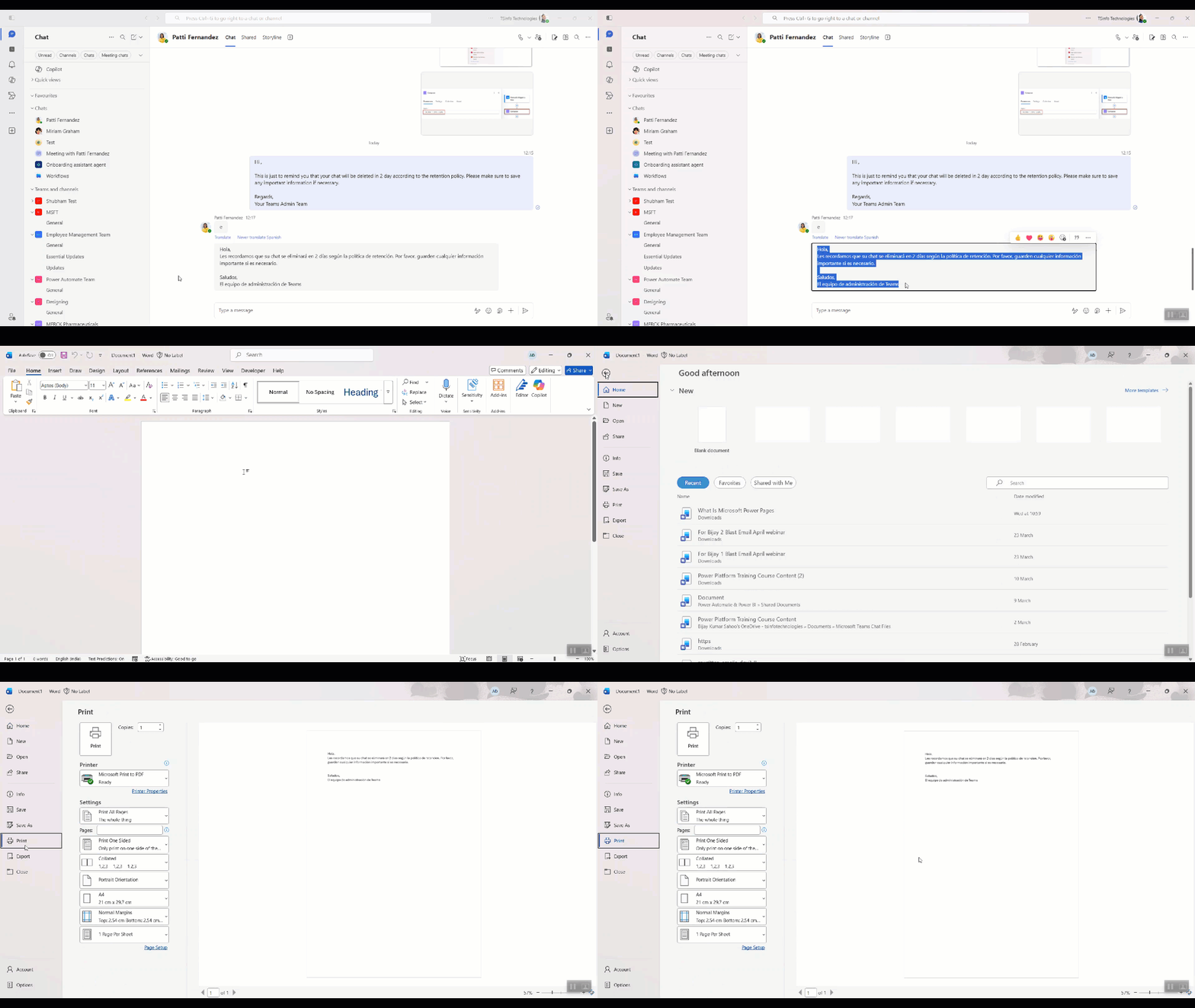
Print Microsoft Teams Chat using Copy and Paste into Word

If you’ve ever needed a hard copy of a Teams conversation — maybe for a meeting recap, a legal record, or just to share with someone who doesn’t use Teams — you’ve probably noticed something frustrating: there’s no big, obvious “Print Chat” button anywhere. That’s not a bug. Microsoft Teams simply wasn’t designed with printing … read more…

2 Best Ways to Create a Folder in SharePoint From Power Apps

How to Create a Folder in SharePoint from Power Apps

If you’ve ever built a Power Apps canvas app that connects to a SharePoint document library, you’ve probably hit this question at some point — how do I create a folder in SharePoint directly from my app? It’s a really common requirement. Think about it: you’re building an app where users submit a project, and you … read more…

3 Best Methods to Migrate SharePoint Online List to Dataverse [Step-by-Step]

How to Migrate SharePoint Online List to Dataverse uising Dataflows

If you’ve been building apps on SharePoint lists for a while, there comes a point where you start hitting walls — performance, security roles, relationships between tables, or just the general feeling that you’ve outgrown lists. That’s usually when Dataverse starts looking very attractive. I’ve been through this migration more than once, and in this … read more…