
I am currently working on a small but useful product for creating SharePoint sites using Power Apps and Power Automate. I designed a Power Apps screen that allows people to enter required details, such as the site name, owner, visitor, and storage.
After users submit the data, I created a Power Automate flow that uses the REST API to create the site. The site was created successfully. But I noticed one issue: if someone enters a site name that already exists, the flow still runs successfully, which is not correct. To prevent this, I need to check whether the site already exists.
To do this, SharePoint provides an action called Get lists that returns lists only if the site exists. Using this, we can check whether the SharePoint site is already available.
In this tutorial, I will show you how to check if a SharePoint site already exists in Power Automate.
Check if SharePoint Site Already Exists in Power Automate
Before I explain the steps, let me share the test cases we need to check:
Note:
The Get lists action in Power Automate has only one parameter, which is the Site Address
Test Case 1:
If the site does not exist and we enter that site address, the action will fail. The output statusCode will be 404, which means the site was not found.
Test Case 2:
If the site exists and we have access to it, the action will run successfully. The output statusCode will be 200, which means the site is available.
Test Case 3:
If the site exists but we do not have permission to access it, the action will fail. In this case, the output statusCode will be 403, which means access is forbidden.
Now, let’s create the flow and test all these test cases.
- Create a new Instant Cloud Flow and choose Manually trigger a flow as the trigger. Then, expand the trigger action and add a Text input field where users can enter the SharePoint Site URL.

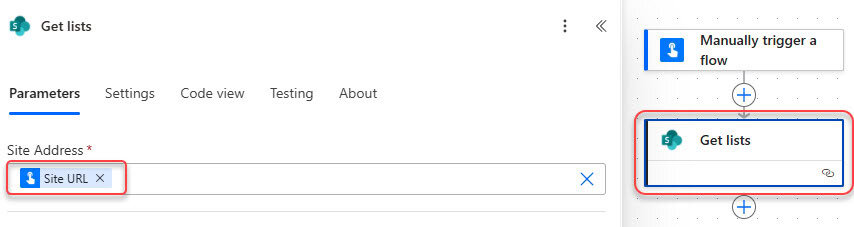
- Add a Get lists action to check the site, and use the dynamic content from the trigger body to provide the Site URL.
- To check the different types of cases, I am adding a Switch action where, in the ‘On’ parameter, add the following expression:
outputs('Get_lists')?['statusCode']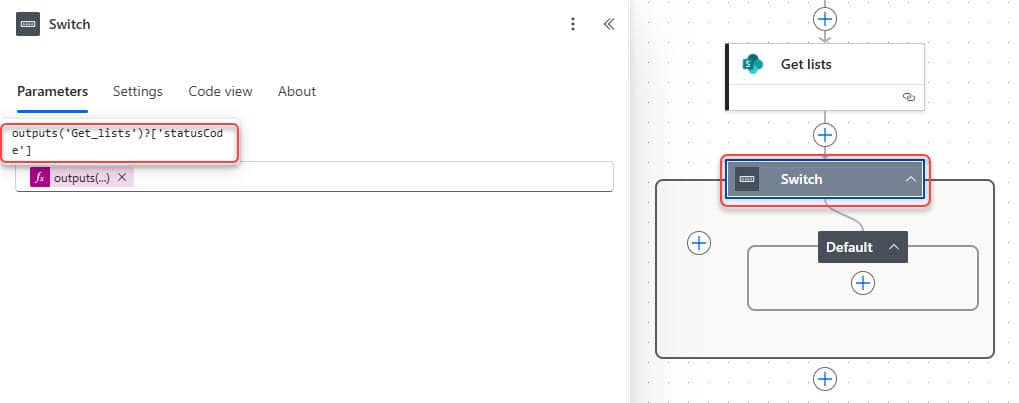
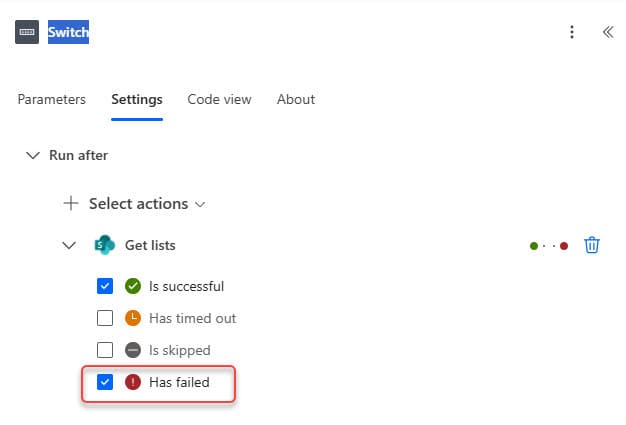
- Then select the Switch, click the settings tab under ‘Run after’, expand ‘Get lists’, and check ‘Has failed’.
- Now add Case 1, and in the ‘Equals’ field, enter the value 404. Inside this case, add a Compose action and write something like:
The site does not exist.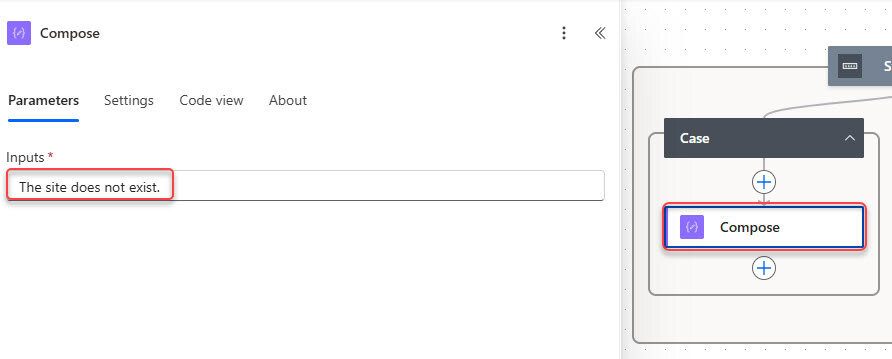
- Then add Case 2, which will run when the statusCode is 200. This means the site exists and you have access to it. Inside this case, add a Compose action and write:
The site exists and you have access.