
Last month, I was creating a training course, and to do so, I created a new test user in my environment. When I tried to create a new table in Microsoft Dataverse using that user account, I ran into an unexpected error:
One or more commands are unavailable due to your current privileges for this environment.
This message clearly indicates that the user doesn’t have sufficient permissions in the environment to perform actions such as creating tables, apps, or flows.
In this tutorial, I’ll show you how to grant the required permissions to a user in the environment so they can access Dataverse and perform all necessary actions without encountering this error.
[FIX] One or more commands are unavailable due to your current privileges for this environment.
To resolve this error, assign the correct security role to the user within the environment. Follow the steps below:
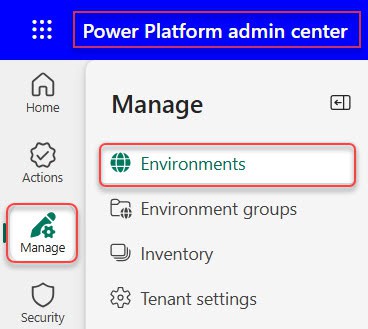
- Go to the Power Platform Admin Center, click Manage on the left side, and then select Environments.
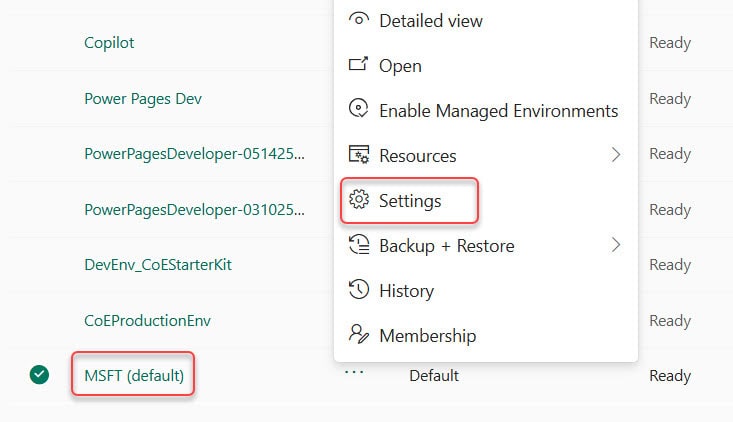
- Select the environment where the user is facing the permission issue, and then click on the Settings section.
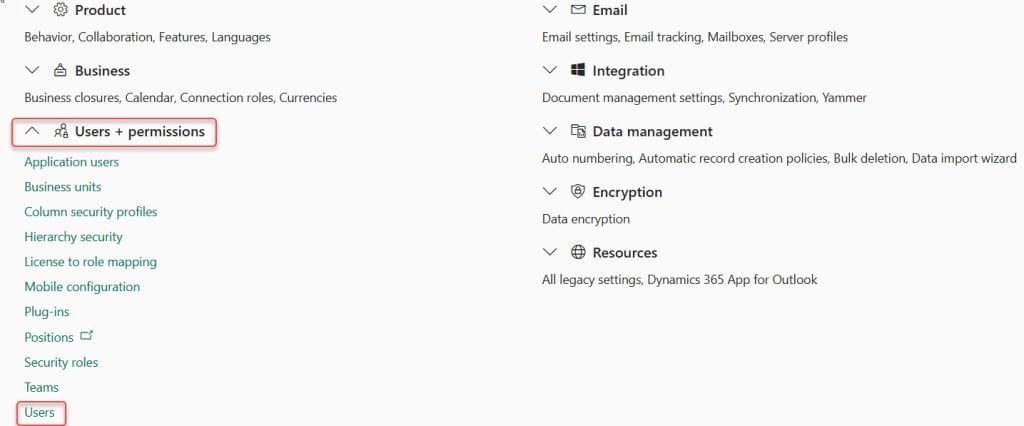
- Expand Users + permissions and click Users.
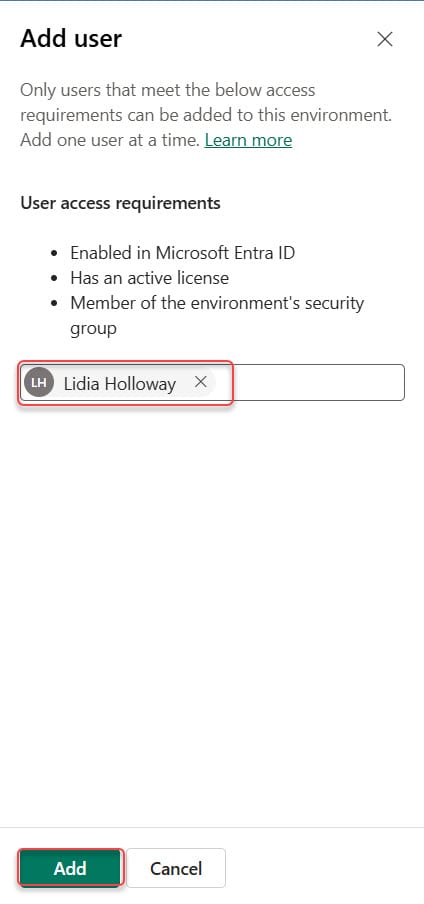
- At the top, click + Add user, then enter the user’s name or email address. Click Add to include the user in the environment.
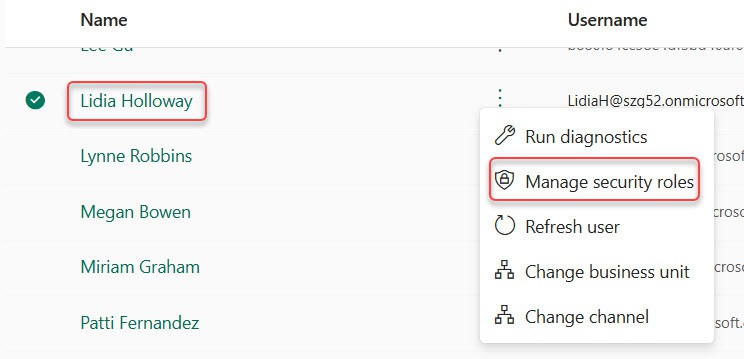
- After adding the user, select the user from the list, then click Manage security roles.
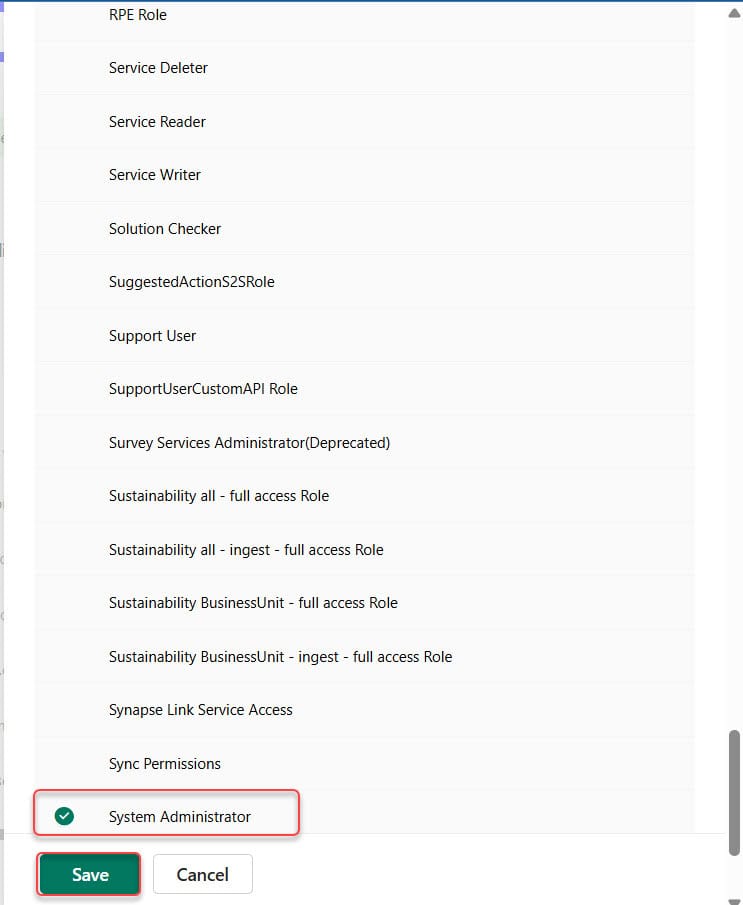
- Assign a suitable security role, such as:
- Environment Maker (recommended for creating apps, flows, and tables)
- System Administrator (full permissions)
- Click Save.
Once the role is assigned, ask the user to refresh the browser and try again. They should now be able to create Dataverse tables without seeing the permission error.
Additionally, you may find the following Dataverse interesting tutorials:
- Get Dataverse Created by in Power Automate
- Update a Row in Dataverse Using Power Automate
- Get a Row By ID From Dataverse Using Power Automate
- Count Rows From Dataverse Table Using Power Automate

Hey! I’m Bijay Kumar, founder of SPGuides.com and a Microsoft Business Applications MVP (Power Automate, Power Apps). I launched this site in 2020 because I truly enjoy working with SharePoint, Power Platform, and SharePoint Framework (SPFx), and wanted to share that passion through step-by-step tutorials, guides, and training videos. My mission is to help you learn these technologies so you can utilize SharePoint, enhance productivity, and potentially build business solutions along the way.

