
Recently, I worked with a client to create a SharePoint home page for them. Initially, everything worked as expected, but after a few days, team members reported that they could no longer view or edit the home page. When I checked, I realised that members had permission to modify the page, and one of them even accidentally deleted it.
After restoring the page, the client required a solution that allowed only the site owners to edit SharePoint pages, while all other members could only view them. In this tutorial, I will show you how to set up your SharePoint site so that pages are secure and only editable by owners.
Set SharePoint Pages Read-Only for Members
When you create a SharePoint site, by default, members can sometimes edit pages. But sometimes you want to make sure that only site owners can edit pages, while everyone else can just view them safely.
Here, I will show you two simple ways to do this:
- Restrict Access to the Site Pages Library in SharePoint
- Restrict Editing on a Specific SharePoint Page in SharePoint
Restrict Access to the Site Pages Library in SharePoint
You know all our SharePoint pages are stored in a special folder called the Site Pages Library. By default, members can edit pages here. So we need to restrict that to do this, follow the steps below:
- Go to the SharePoint site and click the Settings (gear icon) -> Site contents. Click on Site Pages.
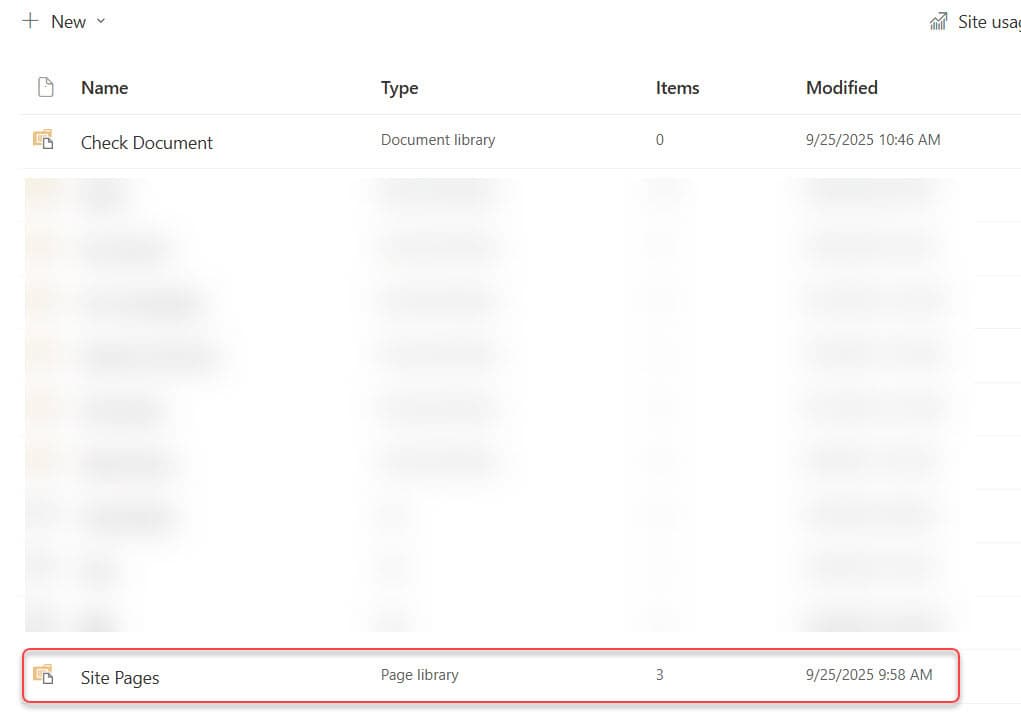
- Click the Settings (gear icon) -> Library settings. Under Permissions and Management, click Permissions for this document library.

- Click Stop Inheriting Permissions.

- Click the checkbox next to Members Group, then click on Edit User Permissions.

- Uncheck the checkbox next to Edit and check it next to Read. Click OK.

Now, only site owners can edit pages in the library, while members can only view them.

Restrict Editing on a Specific SharePoint Page in SharePoint
If you want to protect just one important page, like your home page, without changing permissions for the whole library, follow the steps below:
- Open the SharePoint site and go to the page you want to protect in Site Pages library.
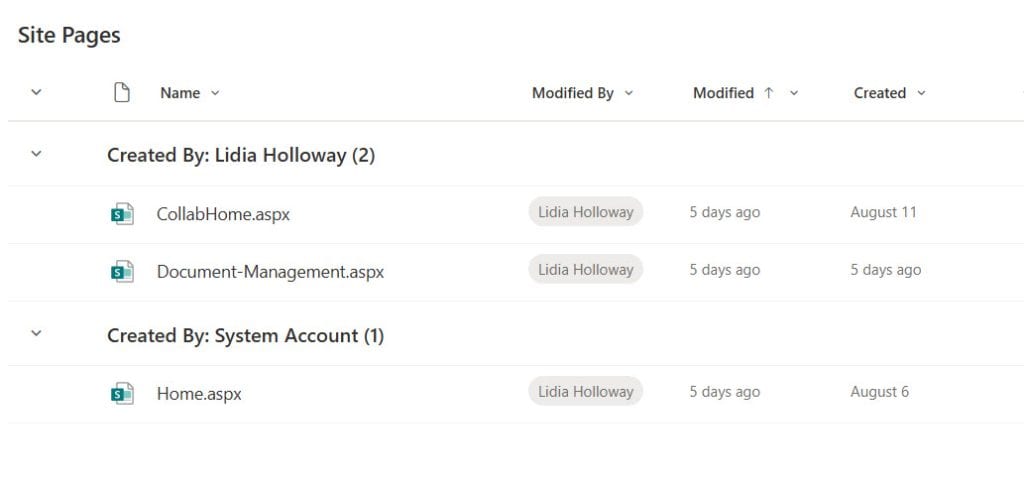
- Click the three dots (…) next to the page -> Manage access -> Groups.
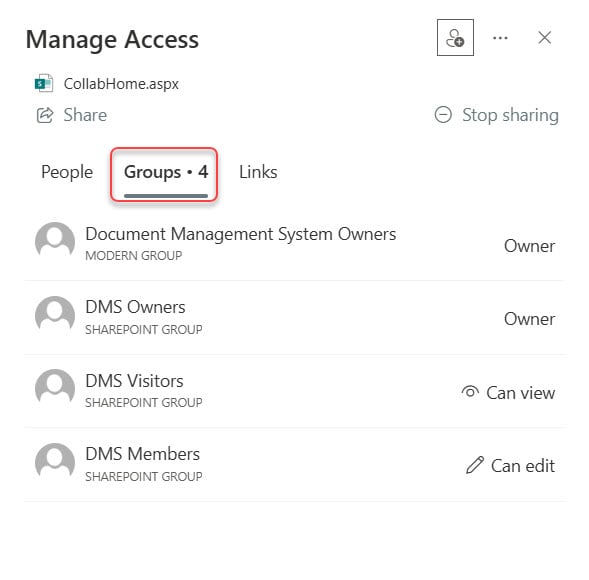
- Remove edit access from the Members group and make sure Owners retain Full Control.

When the members access the user’s open page, they can view but cannot edit it.

Now, this specific page is safe, and only site owners can make changes.
Note: New members added to the Members group automatically get view-only access. Modern announcements, news, events and wiki pages are considered pages, so members will no longer be able to create or edit them.
Also, you may like the following tutorials:
- Delete SharePoint Site
- Get SharePoint Online Site ID
- Share SharePoint Site with External Users
- Create a Custom Site Template In SharePoint Online
- Convert Date Time From Local Time to UTC time Using Power Query in Power BI

Hey! I’m Bijay Kumar, founder of SPGuides.com and a Microsoft Business Applications MVP (Power Automate, Power Apps). I launched this site in 2020 because I truly enjoy working with SharePoint, Power Platform, and SharePoint Framework (SPFx), and wanted to share that passion through step-by-step tutorials, guides, and training videos. My mission is to help you learn these technologies so you can utilize SharePoint, enhance productivity, and potentially build business solutions along the way.